Apex Drawdown Zero V9.20 — Gold & Forex Trading Robot for MT5 (XAUUSD, EURUSD, EURJPY)
Apex Drawdown Zero is a selective, fully automated trading system for MetaTrader 5, designed for traders who prefer controlled exposure and carefully qualified entries instead of constant market activity.
The EA is designed to trade XAUUSD, EURUSD and EURJPY on H1, with a maximum of one qualified trade per day.
The system uses multiple confirmation conditions to find qualified entries. Before allowing a trade, it evaluates the daily session structure, trend alignment, candle quality, timing, volatility, spread and broker trading conditions.
Every trade uses a structural stop-loss from the moment of entry. The EA also includes automatic percentage-based position sizing and break-even management.
The trading logic is built around identifying an important session range and evaluating qualified price movement around the boundaries of that range.
Version 9.20 uses ATR-based and volatility-relative calculations for important strategy thresholds, including breakout distance, range filtering and stop placement. This lets the EA adapt as market volatility changes instead of depending entirely on fixed symbol-specific distances.
Apex Drawdown Zero is intentionally selective. It does not need to trade every day. If the complete qualification process is not satisfied, the EA simply stays out of the market.
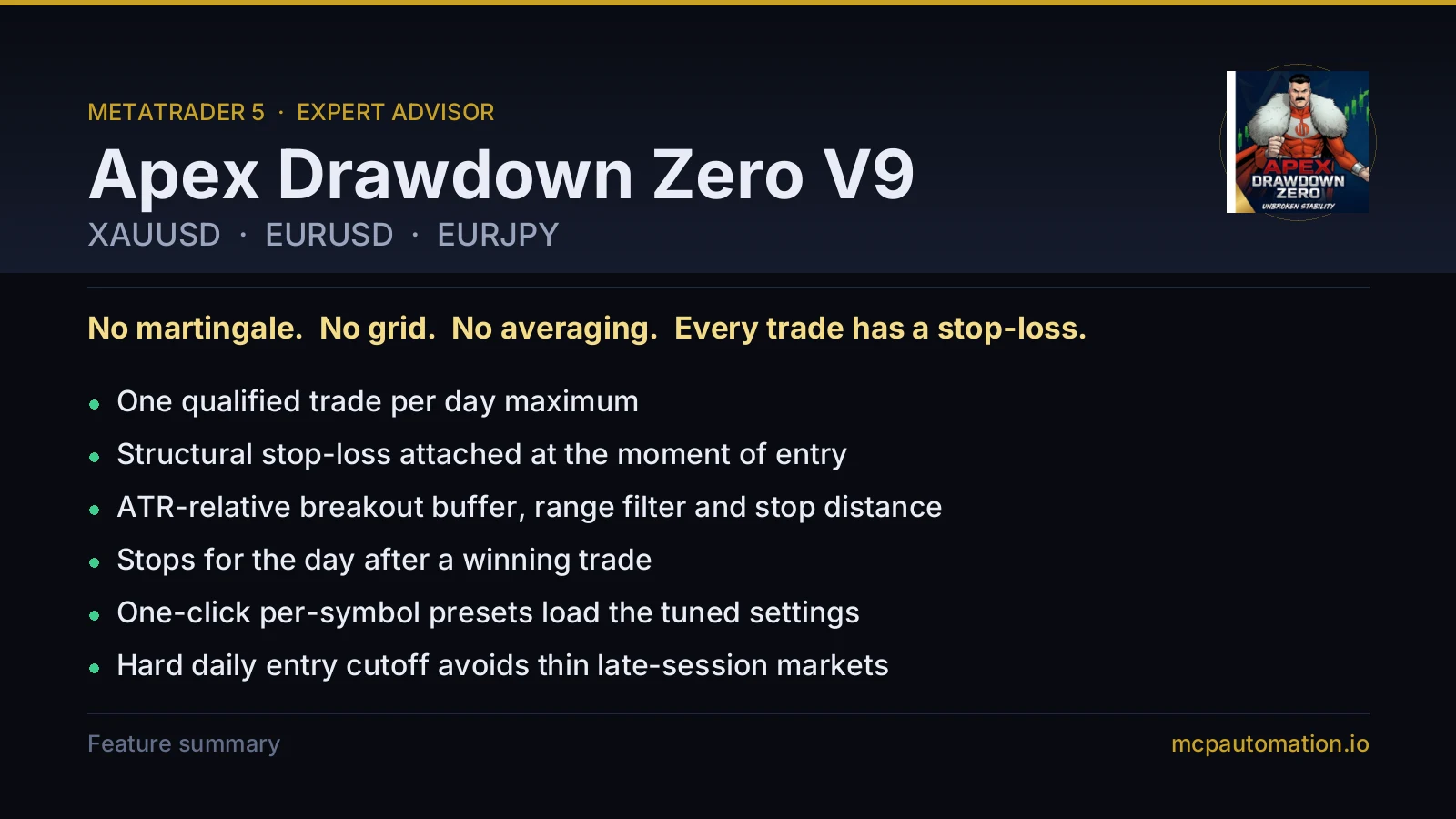
No grid. No martingale. No averaging. No recovery mode.
The objective is simple: wait for a qualified opportunity, define the risk before entry and avoid unnecessary overtrading.
Designed for selective trading
Apex Drawdown Zero takes a maximum of one qualified trade per day.
The EA can stop trading for the day after a winning trade, applies a hard daily entry cutoff and checks the current spread and broker conditions before placing an order.
Several days without a trade can be completely normal. No valid setup = no trade.
Using it on a prop-firm account
Apex Drawdown Zero has no separate prop-firm edition and no built-in daily-loss or maximum-drawdown halt. What keeps it inside a firm's limits is the way it sizes and paces its trades:
- A fixed percentage of your balance at risk on every trade, with a stop-loss from entry
- At most one trade per day, and no further trades that day after a win
- An optional hard lot cap per trade
- A spread filter that skips entries when the spread is too wide
Choose a risk setting that keeps a run of losing trades well inside your firm's daily and overall limits. At 1% per trade, five losses in a row costs roughly 5%.
Prop-firm rules differ between providers and may change. Always confirm your provider allows Expert Advisors and check its current rules before trading.
Automatic position sizing
Apex Drawdown Zero calculates the lot size from your selected percentage risk and the calculated stop-loss distance. Risk is calculated as a percentage of your account balance.
Before placing a trade, the EA checks:
- Account balance and your selected percentage risk
- The calculated stop-loss distance
- Available margin
- The broker's minimum lot, maximum lot and volume step
- The broker's StopLevel and FreezeLevel
An optional hard maximum lot cap can also be set. The same risk settings work across different account sizes, subject to broker conditions, leverage and your selected risk.
Key features
- Very easy to use: attach to a supported H1 chart and select the AUTO preset
- Maximum one qualified trade per day, fully automated
- XAUUSD, EURUSD and EURJPY support with automatic per-symbol presets
- Percentage-based automatic position sizing with an optional hard lot cap
- Structural stop-loss attached from entry
- Automatic break-even management
- ATR-based volatility adaptation: breakout thresholds, range filtering and stop distance
- Multi-stage trade qualification: trend alignment, candle quality, session range and trading-time filters
- Spread protection and a hard daily entry cutoff
- Optional Stop After Win
- Margin, broker volume-limit, StopLevel and FreezeLevel validation before every order
- Magic Number trade separation, so it runs alongside other EAs
- No grid, no martingale, no averaging, no recovery mode
Setup
- Run it on XAUUSD, EURUSD or EURJPY
- Timeframe: H1
- Set Preset = AUTO
- Configure your preferred risk settings
- Enable Algorithmic Trading
When everything is running correctly, the on-chart dashboard displays SCANNING.
Every input, the per-symbol presets and broker server time are covered in the Apex Drawdown Zero V9.20 settings guide.
A VPS is recommended because the EA works on live ticks and should stay connected continuously.
Important: broker server time affects the daily session calculations and entry cutoff. Confirm your broker's server time before going live.
Backtesting
Test on one of the officially supported markets — XAUUSD H1, EURUSD H1 or EURJPY H1 — with Preset = AUTO.
The Version 9 default configurations were developed using real tick-level data across XAUUSD, EURUSD and EURJPY and evaluated with out-of-sample testing. For your own Strategy Tester evaluation, use high-quality real ticks with realistic spread, commission and execution assumptions. Results can vary between brokers because of differences in historical data, spread, commission, symbol specifications and execution.
Parameters
- Preset — selects the internal configuration for XAUUSD, EURUSD or EURJPY when AUTO is chosen
- Risk Percentage — the percentage risk used for automatic position sizing
- Maximum Lots — optional hard maximum lot size
- Breakout Buffer — ATR-based threshold used by the breakout qualification logic
- Range Filter — volatility-relative ATR filter used to qualify the session range
- Stop Distance — ATR-based structural stop-loss calculation
- Break-Even Management — moves the stop to break-even according to the break-even logic
- Daily Entry Cutoff — no new entries after the configured daily trading time
- Stop After Win — no further trading that day after a winning trade
- Spread Protection — no entries when the spread exceeds the permitted level
- Margin Check — validates available margin before an order is sent
- Volume Limit Check — validates the lot size against the broker's minimum, maximum and volume step
- Stop-Level Validation — validates stop placement against the broker's StopLevel and FreezeLevel
- Magic Number — keeps Apex positions separate from trades opened by other EAs
Recommended setup
- Platform: MetaTrader 5
- Symbols: XAUUSD, EURUSD, EURJPY
- Timeframe: H1
- Account type: Standard, ECN or Raw Spread, depending on broker conditions
- Leverage: 1:30 or higher where permitted
- Minimum for testing: about 100 USD
- Recommended for live use: 500 USD or more
- VPS: recommended
Other symbols are not officially supported without separate testing and optimisation. Indices such as US30 are not recommended.
What is included
Downloaded instantly from your client portal the moment payment clears:
- Apex Drawdown Zero V9.20 for MetaTrader 5
- PDF user guide: installation and settings
- Free lifetime updates — every new build appears in your portal
- Direct support from the developer through your client portal and WhatsApp
- Your Lifetime licence runs on up to 5 MT5 accounts at once; activations are added and released from your client portal
Live results
See Version 9 on a real-money account, updated daily: Apex Drawdown Zero V9 on Myfxbook. An earlier build's live account, which ran until January 2026, is also on Myfxbook.
Current setup: Version 9.20
Use XAUUSD, EURUSD or EURJPY on H1. Older posts and comments describing M15 settings, monthly growth targets or a March 2026 expiry relate to earlier releases and are not the setup guide for Version 9.20.
Looking for Apex V12?
Apex Drawdown Zero V12 is a separate gold edition with a second (trend-pullback) strategy, a daily-loss and drawdown firewall, and an FTMO challenge mode. V9 stays on sale and fully supported. Compare them: Apex V12 vs V9.
Performance and risk disclosure
Drawdown Zero is the product name, not a guarantee of zero drawdown or loss-free trading.
Performance depends on broker conditions, spread, commission, swap, slippage, execution quality, leverage, your risk settings and market conditions. Every trade uses a stop-loss from entry, but a stop-loss cannot guarantee the intended exit price during gaps, severe volatility or abnormal execution. Apex Drawdown Zero cannot guarantee that a prop-firm challenge will be passed or that an account will never breach its rules. Losses from manual trades or other EAs also count toward your account limits.
Backtests, simulations, screenshots, live-account histories and past performance do not guarantee future results. Trading Forex, gold and CFDs on margin carries a high level of risk and may not be suitable for all investors. Never trade with capital you cannot afford to lose.
Test Apex Drawdown Zero V9.20 on a demo account with your own broker and review your settings before trading live.
Where to get the genuine Apex Drawdown Zero
Apex Drawdown Zero is developed and sold by MCP Automation. The only official sources are:
- mcpautomation.io: this page, the cheapest way to buy, with your licence issued instantly in the client portal
- apexdrawdownzero.com: the official Apex Drawdown Zero website
- grizzlytrading.online: our Grizzly Trading store
- The MQL5 Market: Apex Drawdown Zero on MQL5
Copies offered as a "free download", "group buy", "cracked" or "unlimited" version on other websites are unlicensed. They receive no updates and no support, and can be modified or altered. For the licensed EA with all future updates, buy it from one of the sources above.